Summary
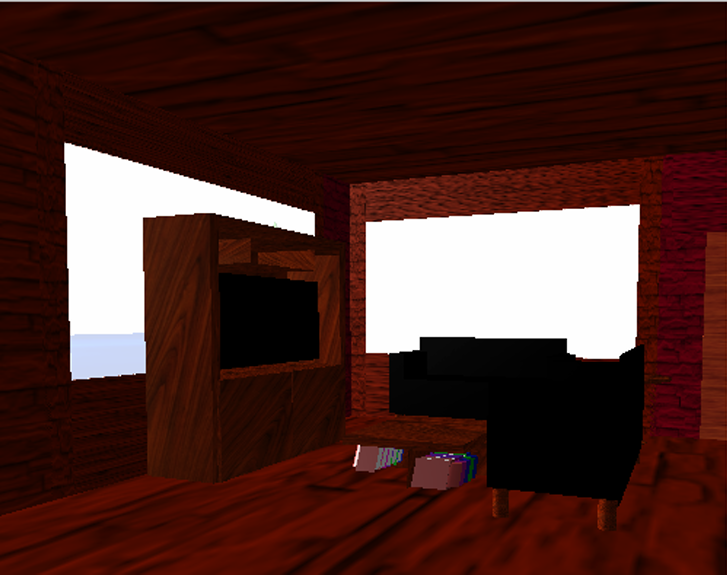
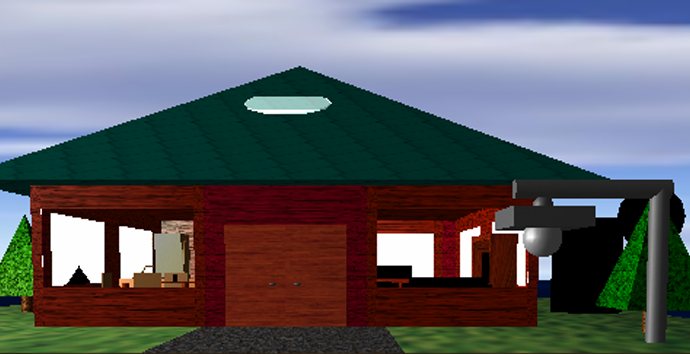
I created a 3D house scene using the OpenGL API and expanded it with more detailed features, including interactable doors, light switches, and more textured designs.
My Role
Individual developer and designer: I planned the scene architecture, implemented object modeling and interactions, added textures/materials, and iterated on lighting/shading to improve realism and readability.
The Challenge
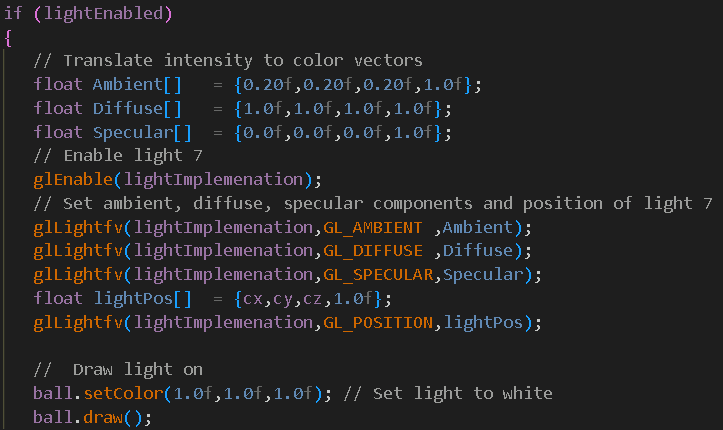
Lighting was the hardest part: balancing ambient/diffuse/specular values, managing light position/movement, and ensuring the scene stayed readable across different camera views and interaction states.
Project goals
My goal was to create a scene that allows users to explore the house’s surroundings and interior, building on a prior home model and adding more detailed interactive features.
Core goals
- Explore the yard and interior spaces
- Interactable doors (open/close)
- Light switches (on/off)
- Furnish key rooms (tables, cabinets, etc.)
Stretch goals
- More user-interactable objects
- Fully furnished house
- Upstairs level
- Night/“creepy” mode & special effects (exploratory)
Build process
1) Architecture
Established the scene structure first (house + yard), then added modular objects (doors, furniture, fixtures) to support iteration and interaction.
2) Styling & textures
Added texture toggles and texture modes to compare visual outcomes and debug surface issues while refining material appearance.
3) Lighting & shadowing
Iterated on light placement, movement, and intensity controls to improve realism without sacrificing readability, my biggest technical challenge in the project.
Interactions & controls
The project includes interactive navigation and scene controls, including door toggles, light switches, and lighting parameters for experimentation.
Movement & camera
- WASD: first-person movement
- Arrows: change view angle
- 1/2/3: camera presets (overhead / perspective / first-person)
- [ / ]: zoom controls
- - / =: field of view controls
Scene toggles
- H: open/close doors
- U: toggle light switch
- C: textures on/off
- F: smooth vs. flat shading
- R: lights on/off
- K: light movement on/off
Lighting: the hardest part
Lighting was my biggest struggle because small parameter changes dramatically affected realism and scene readability. I added interactive controls so I could tune values in real-time and observe how ambient, diffuse, and specular light impacted different surfaces and textures.
What I implemented to learn/debug
- Keyboard-driven controls for ambient/diffuse/specular intensity
- Light distance and elevation controls to study falloff and shadow behavior
- Optional light movement to verify specular highlights and surface response
- Texture mode toggles (modulate/replace) to isolate lighting vs. texture artifacts
Takeaway
Treating lighting as a system, rather than a final “polish step” helped me iterate methodically and build intuition for how materials and shading models behave in OpenGL.
Project artifacts
These artifacts capture the concept, implementation, and visuals for the project.
- GitHub repository: source code (C++ / OpenGL) + build instructions
- Demo video: Interactive house showing
- Concept goals: project proposal with interaction and stretch goals
Links
Review the codebase and implementation details here:
Reflection
What I learned
This project strengthened my ability to build a complex interactive 3D scene by iterating from architecture to textures and then to lighting. The biggest learning curve was lighting: I gained practical intuition for how ambient, diffuse, and specular settings affect realism, and how interactive controls can accelerate debugging and refinement.
Next improvements
- Finalize materials and shadow quality for more realistic depth cues
- Expand interaction (more toggles or object animations)
- Improve “night mode” exploration as an optional scene variant